 AI Task Manager
Self-hosted · Claude Code · Codex · MIT
Put your Claude and ChatGPT subscriptions to work.
AI Task Manager queues coding tasks against your Git repos and runs Claude Code and Codex agents on the plans you already pay for. It pushes branches, opens pull requests, and turns the same logins into an OpenAI- and Anthropic-compatible API.
CLI-only subscriptions
No API key? Use the plan you already have.
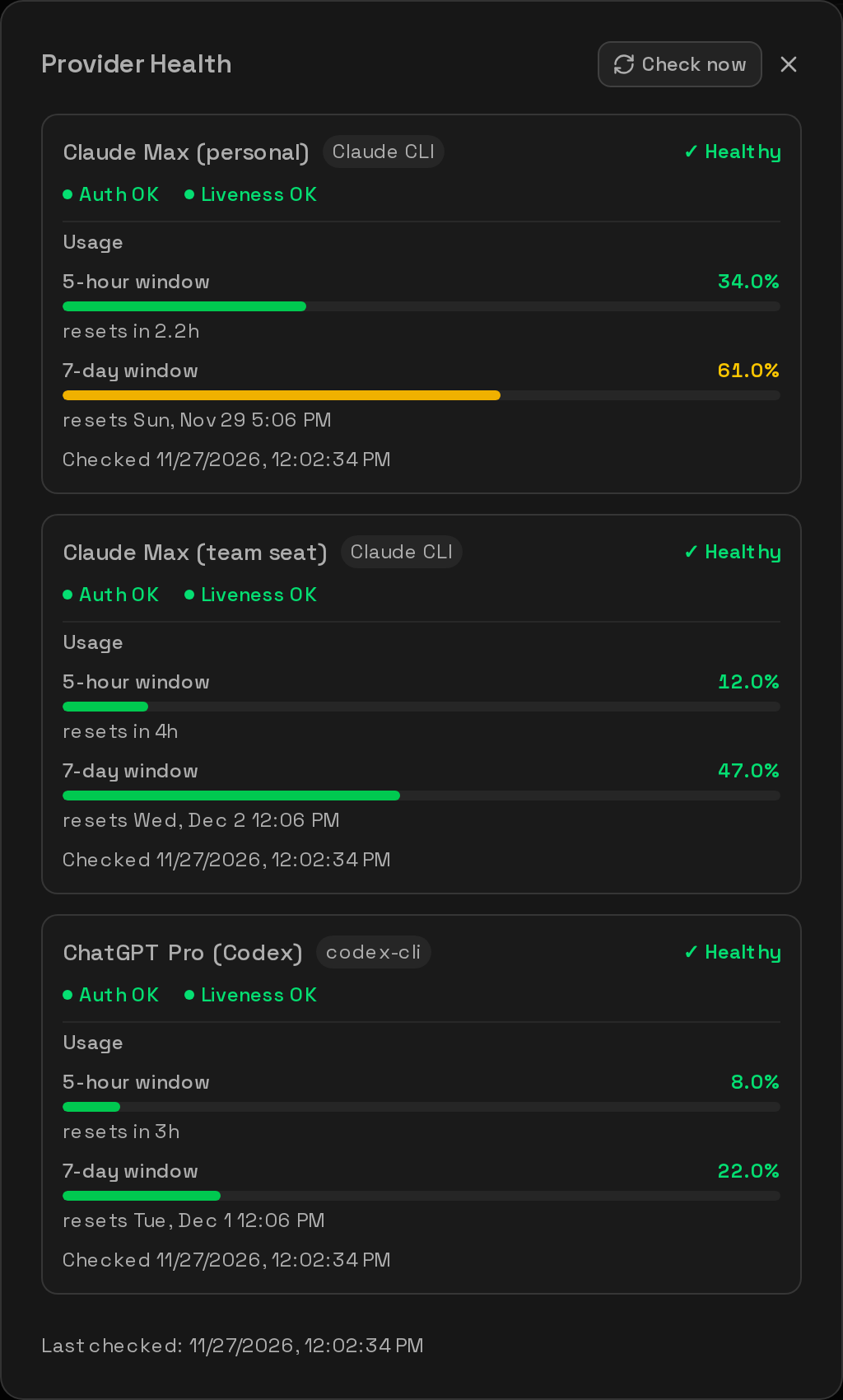
Claude Pro/Max and ChatGPT plans only work through their own CLIs. AI Task Manager runs claude and codex for you, so a subscription becomes a worker that clears your backlog.
- Sign in with Claude from the browser: no terminal, works in Docker.
- See each plan's 5-hour and weekly usage and when it resets.
- Cap usage at, say, 85% so the rest of your plan stays yours.
Connections
Every account you have, working as one pool.
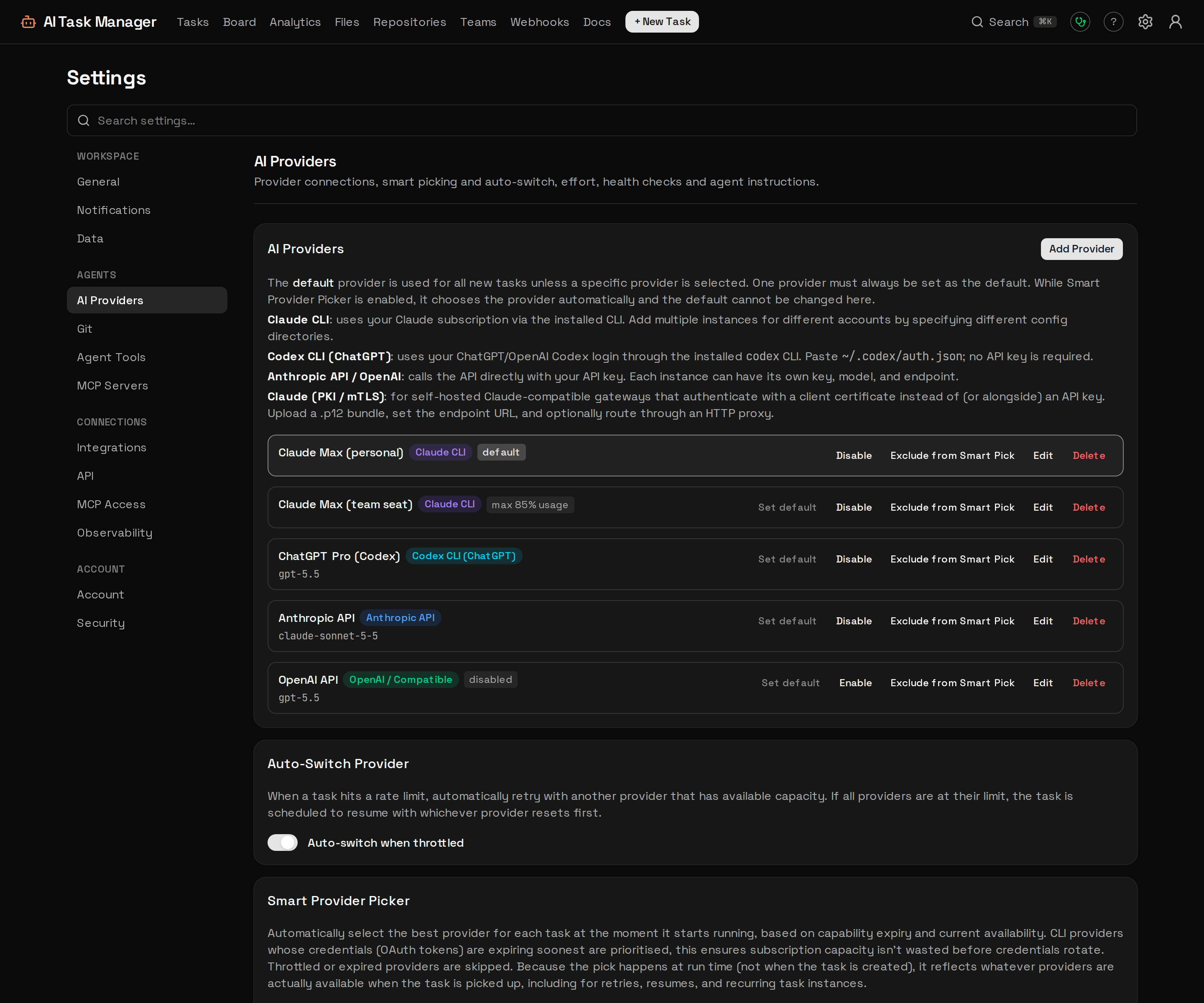
Add several Claude accounts, a ChatGPT login and API keys side by side. The smart picker chooses a connection for each task, and runs keep going when one runs out.
- Spends the subscription whose weekly window resets soonest, so capacity isn't wasted.
- Subscriptions first, metered API keys only when you need them.
- Rate limit or expired login? The task moves to another connection and resumes in the same workspace.
Teams
A planner, a coder, a tester and a reviewer.
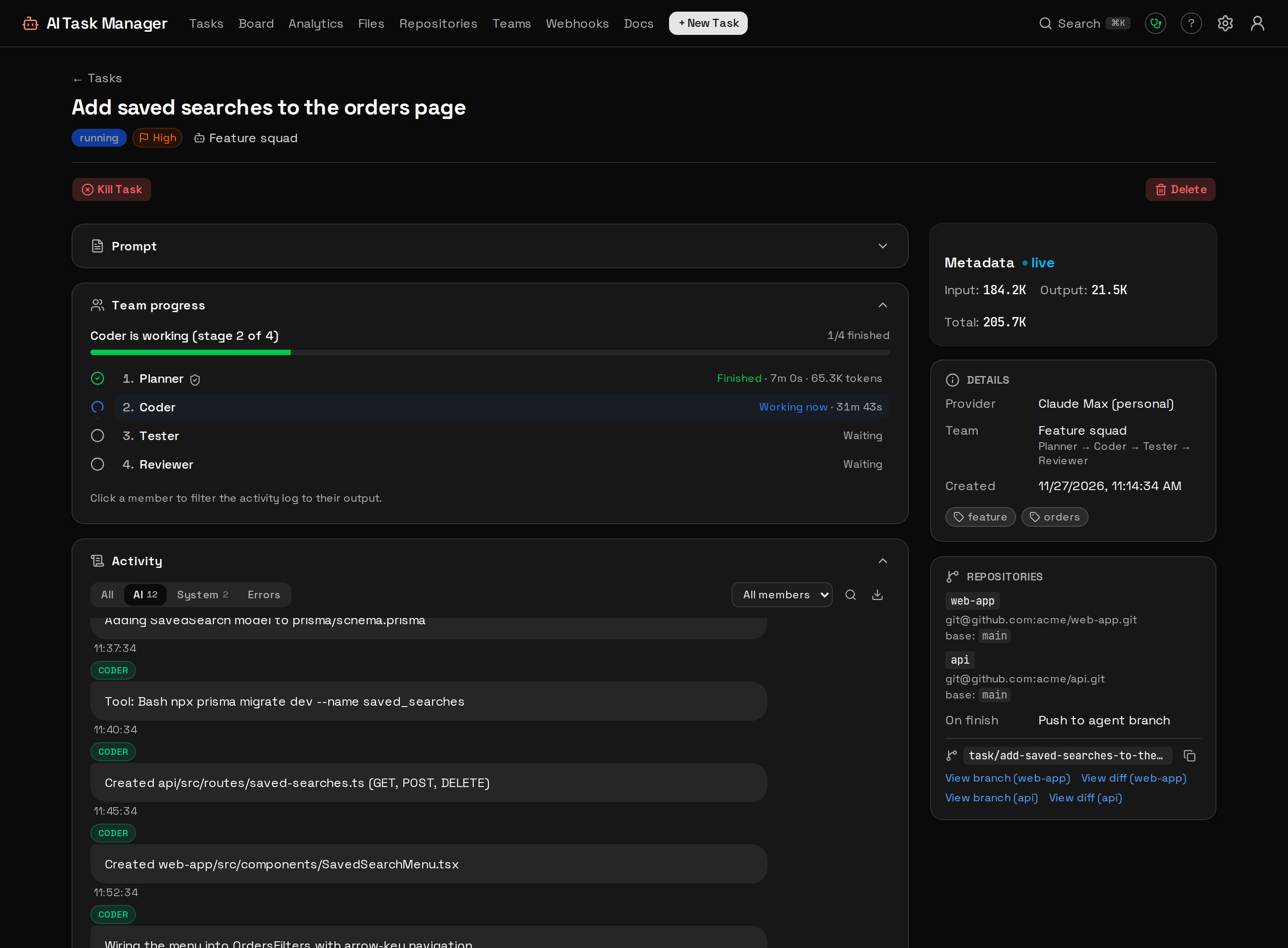
Run a task through a pipeline of agents instead of one. Each member has its own instructions and builds on the previous member's output.
- Approval gates: read the plan and approve it, or send it back, before any code is written.
- Live progress per stage, with tokens and timings, and a log you can filter by member.
- Give a repo a default team, and every task on it gets the full treatment.
API proxy
Your subscription, behind the OpenAI and Anthropic APIs.
Point Cursor, Zed, a chatbot or a script at /api/llm/v1 with a task-manager key. Requests run on the connection you pick for that key, including a CLI-only subscription.
- OpenAI chat completions and Anthropic messages, translated both ways.
- Streaming, tool calls, images, web search and your MCP servers.
- One key per service, each pinned to its own account or the smart picker.
from openai import OpenAI

# Any OpenAI client, running on your Claude Max login
client = OpenAI(
    base_url="https://tasks.example.com/api/llm/v1",
    api_key="tm_live_…",
)
client.chat.completions.create(
    model="claude-sonnet-5-5",
    messages=[{"role": "user", "content": "Review this diff"}],
)
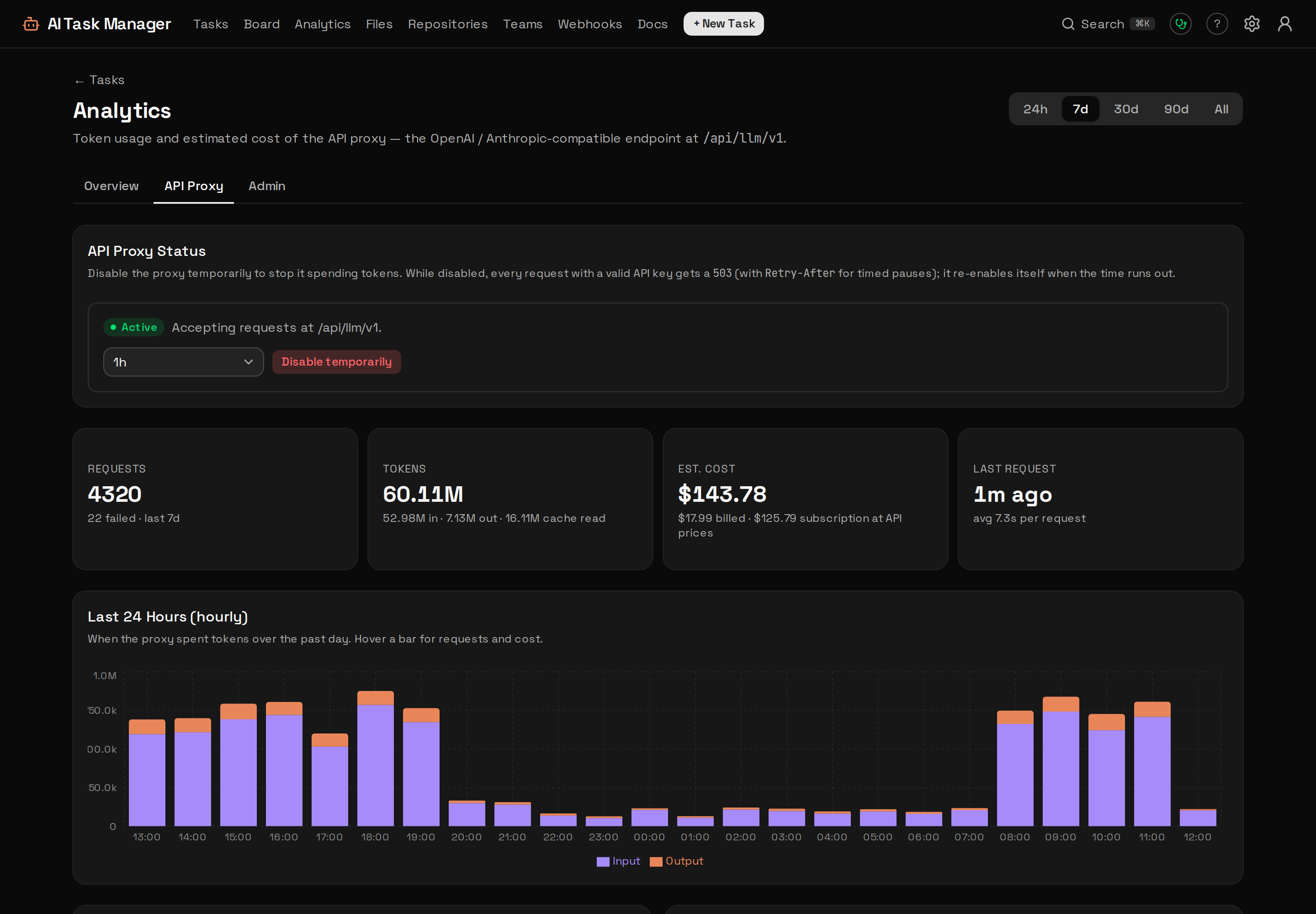
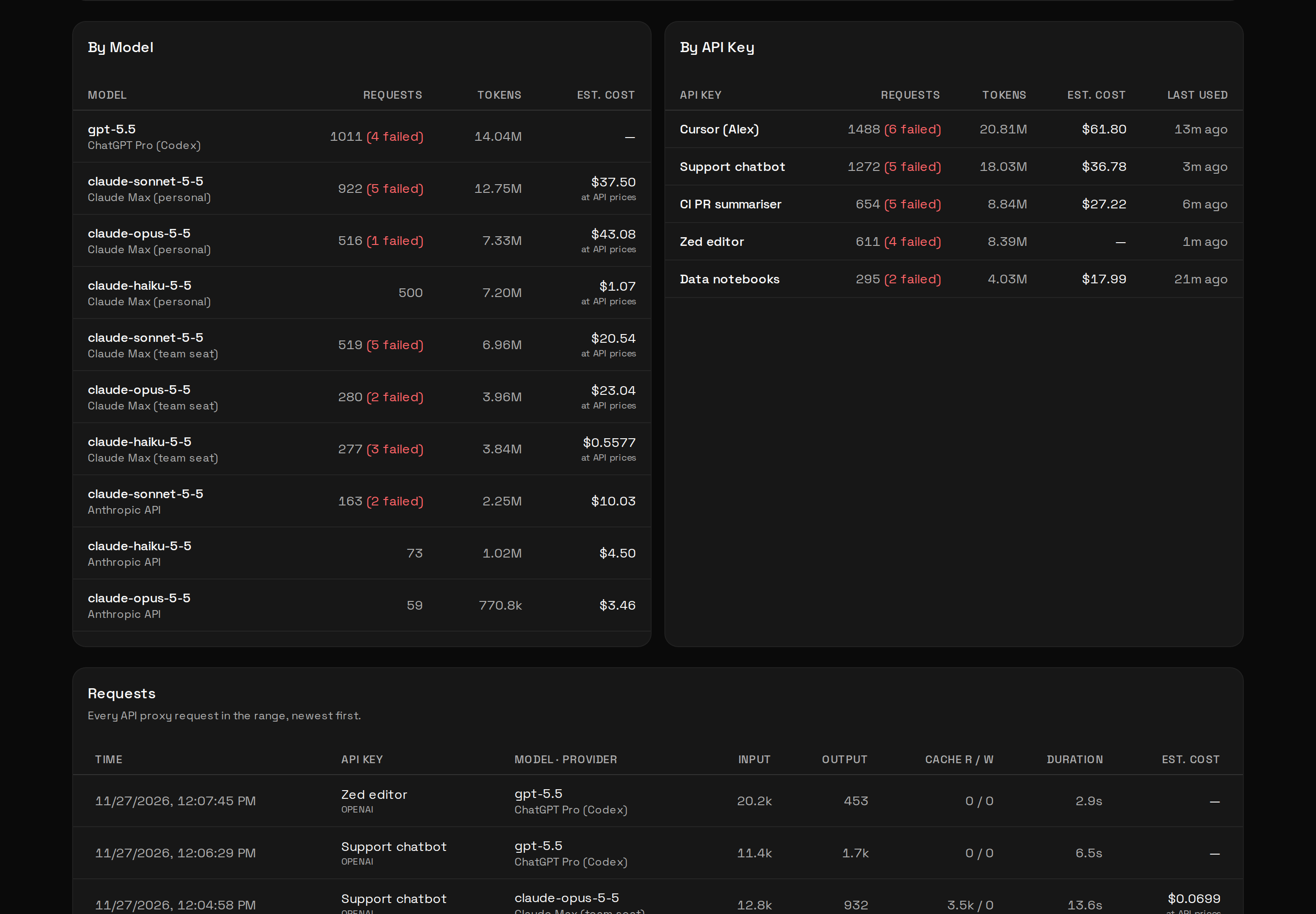
API proxy monitoring
See every request, token and dollar.
Every proxy request is recorded, so you always know which service is spending what.
- Tokens per hour and per day, busiest hours, failures and latency.
- Breakdowns by model and by API key, plus every request with cache hits.
- Billed cost next to what subscription traffic would cost at API prices.
- A kill switch that pauses the proxy for an hour, a day, or until you say so.
And everything around it
Kanban board & live logs
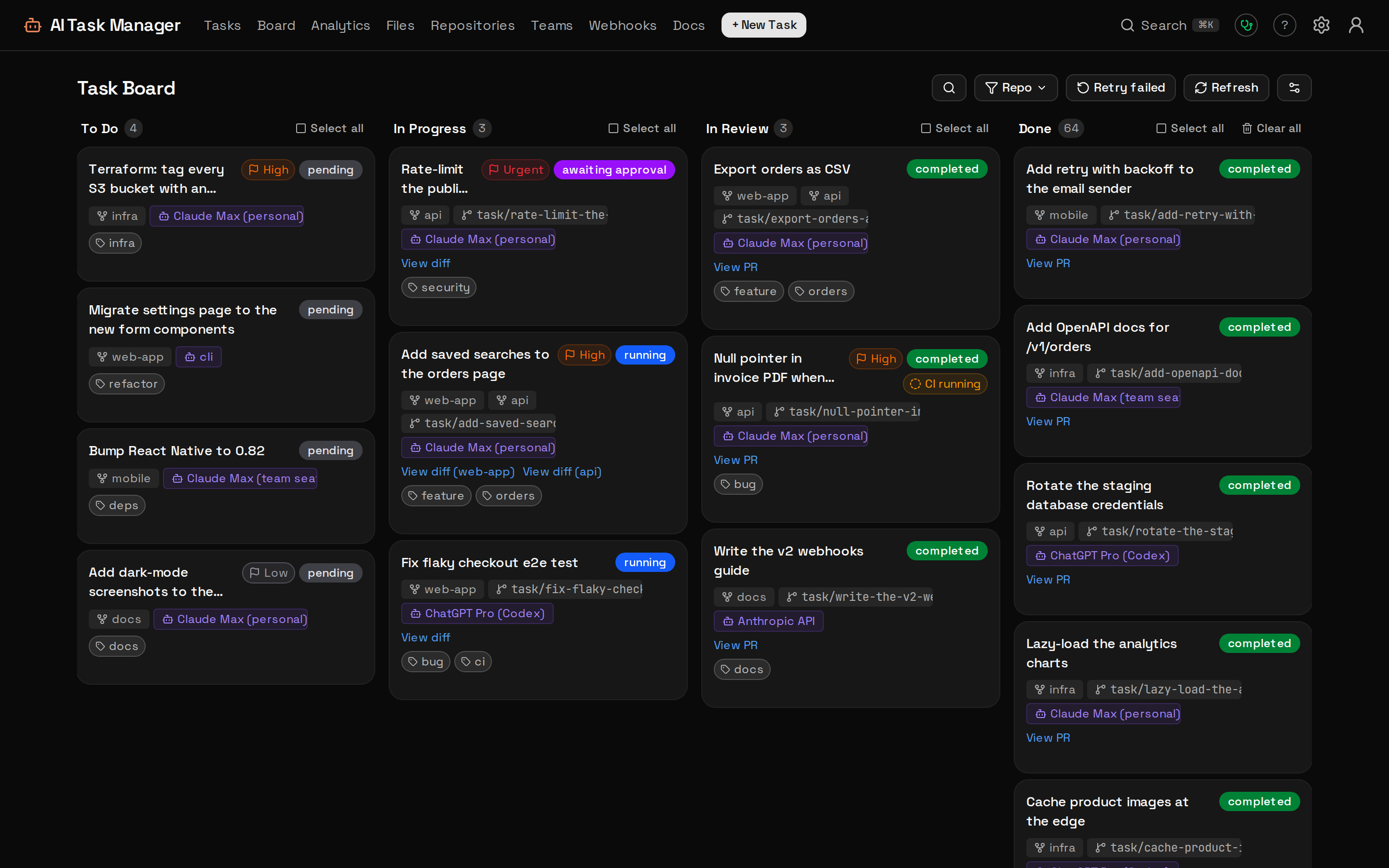
Watch agents work in real time, message them mid-task, then approve the result or request changes.
Branches & pull requests
Every task ends in a pushed branch, a PR, or a commit to the branch you choose. Pushes are verified.
Schedules
Run a task once at a set time, or on a cron schedule, with an optional cap on the number of runs.
MCP server
Create, watch and review tasks from Claude Code, Claude Desktop, Cursor or VS Code over OAuth.
Slack, email & webhooks
Propose tasks from a Slack thread, forward an email, or trigger from CI with a REST API.
Per-repo defaults
Branch, git mode, model, team and a concurrency limit for each saved repository.
Tools for agents
Grant the GitHub CLI and your own MCP servers per task, with credentials kept out of the repo.
OpenTelemetry
Traces, metrics and logs with GenAI conventions: every agent run, tool call and proxy request.
Running in two minutes
One command, with Docker running: it downloads the compose file, starts the web app, the worker and the integrations on localhost:3000. Then sign in to a subscription from Settings, add a repo, and queue your first task.
curl -fsSL https://orangeballdev.github.io/ai-task-manager/install.sh | shRather not pipe to a shell? Download docker-compose.yml and run docker compose up -d, or read the script first.