 AI Task Manager
API proxy
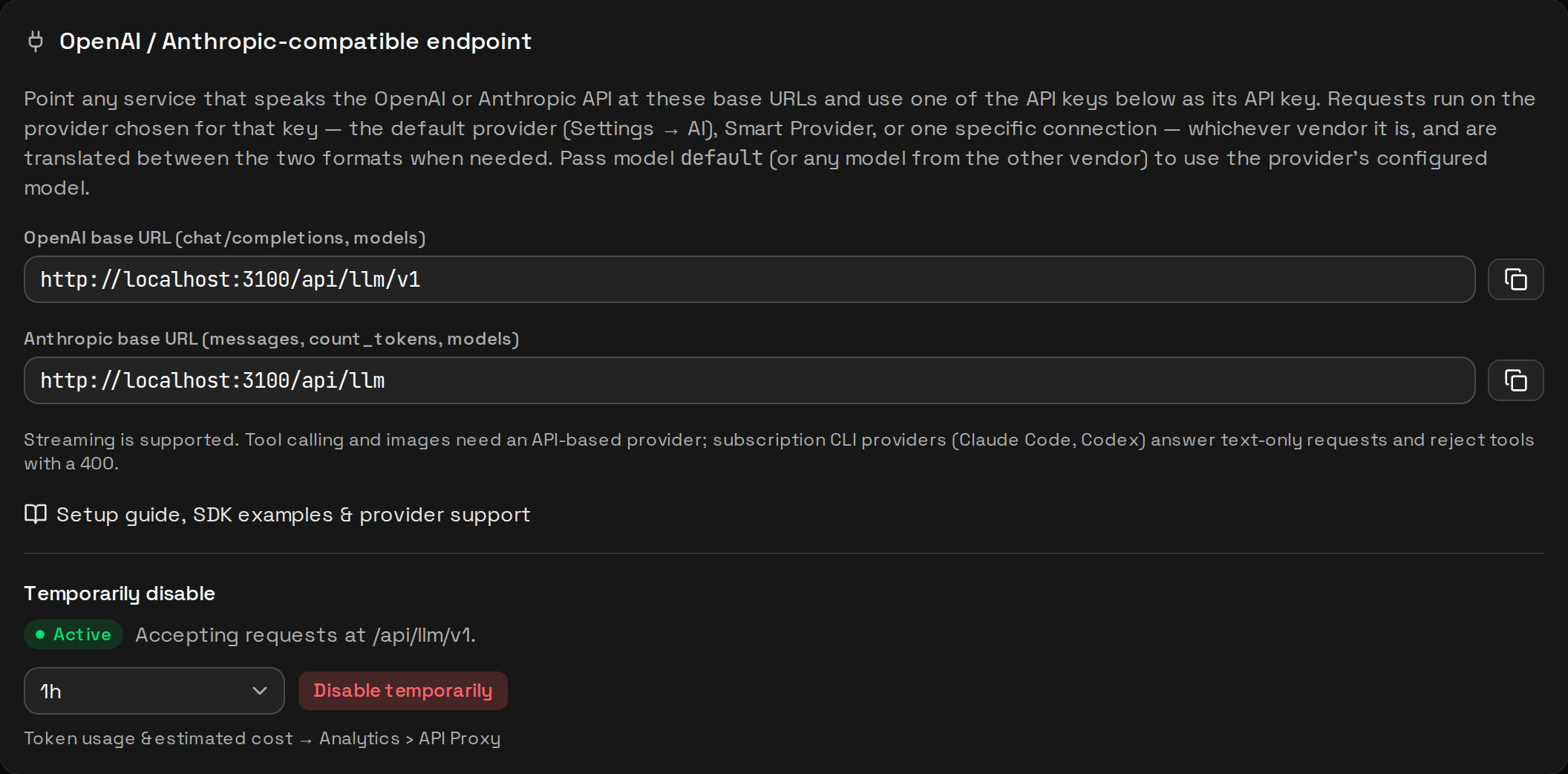
AI Task Manager can stand in for the OpenAI and Anthropic APIs. Point any app, SDK or editor at it with a task-manager API key, and its requests run on one of your connections, including CLI-only subscriptions that have no API key of their own.
- OpenAI base URL:
https://<your-host>/api/llm/v1(chat completions, models) - Anthropic base URL:
https://<your-host>/api/llm(messages, count tokens, models) - Auth: a
tm_live_…key from Settings → API, asAuthorization: Bearer …orx-api-key: …
Quick example
from anthropic import Anthropic

client = Anthropic(base_url="http://localhost:3000/api/llm", api_key="tm_live_YOUR_KEY")
reply = client.messages.create(
    model="claude-sonnet-5-5",
    max_tokens=512,
    messages=[{"role": "user", "content": "Write a haiku about merge conflicts."}],
)
print(reply.content[0].text)
curl http://localhost:3000/api/llm/v1/chat/completions \
  -H "Authorization: Bearer tm_live_YOUR_KEY" \
  -H "Content-Type: application/json" \
  -d '{"model": "default", "messages": [{"role": "user", "content": "Hello"}]}'
The API proxy reference has setup for more SDKs and editors.
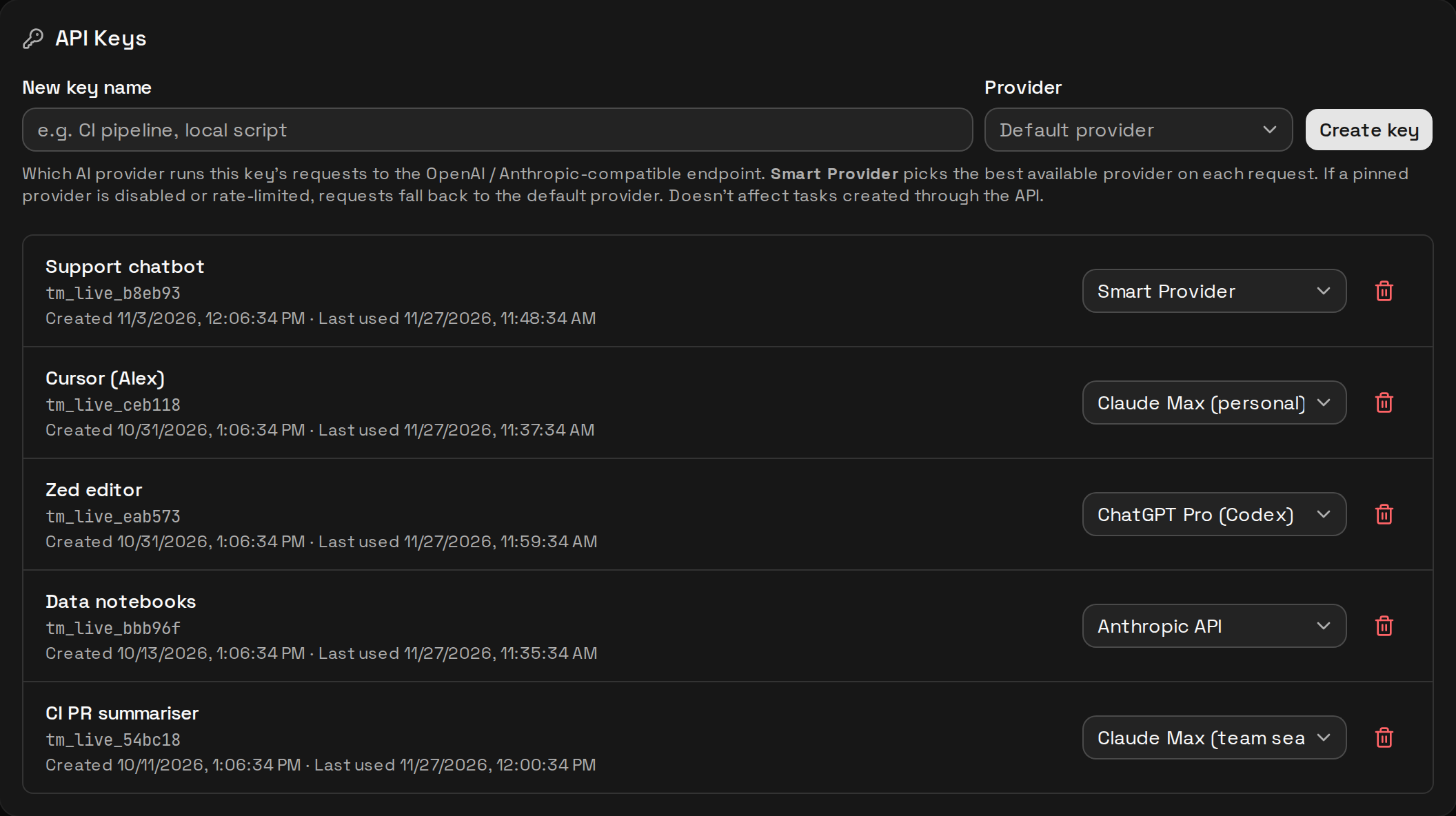
One key per service
Create a key for each app that uses the proxy, and choose which connection answers it:
- Default provider: the same connection a new task would get.
- Smart provider: the best available connection on every request.
- One connection: pin the key to a specific account, so different services run on different subscriptions.
If the chosen connection is disabled, deleted or rate-limited, the request falls back to another enabled connection. The client doesn't change.
Either API, any vendor
Requests are translated between the two formats when needed. A tool written for OpenAI can run on your Claude subscription, and a tool written for Anthropic can run on ChatGPT. Pass default as the model, or a model from the other vendor, to use the connection's own model.
On subscription CLIs:
- Responses stream (Claude streams token by token; Codex answers in one go).
- Tool calls from the client are supported.
- Images and PDFs work on Claude.
- Web search and fetch map onto the CLI's own tools, and your configured MCP servers are attached.
Monitoring
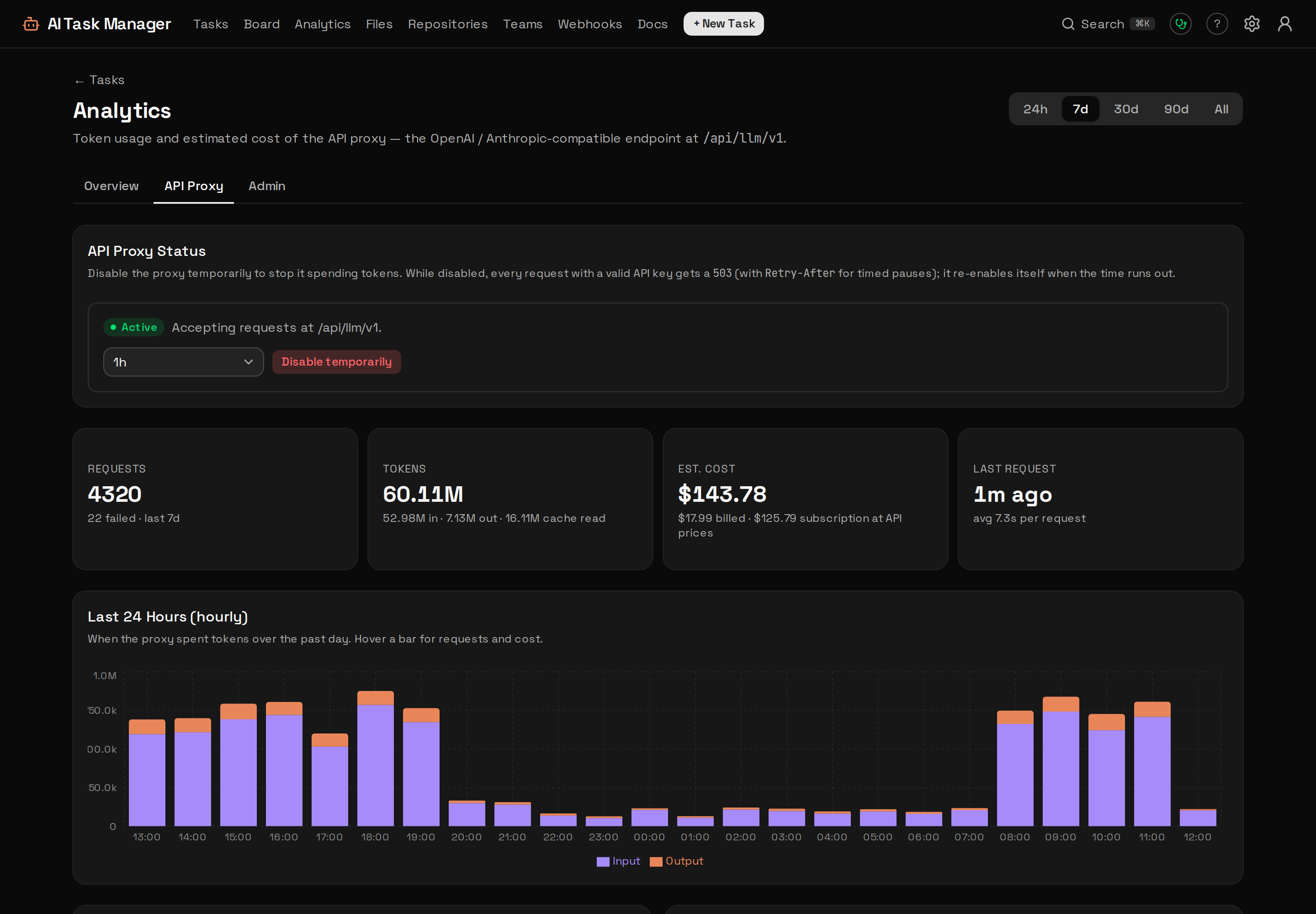
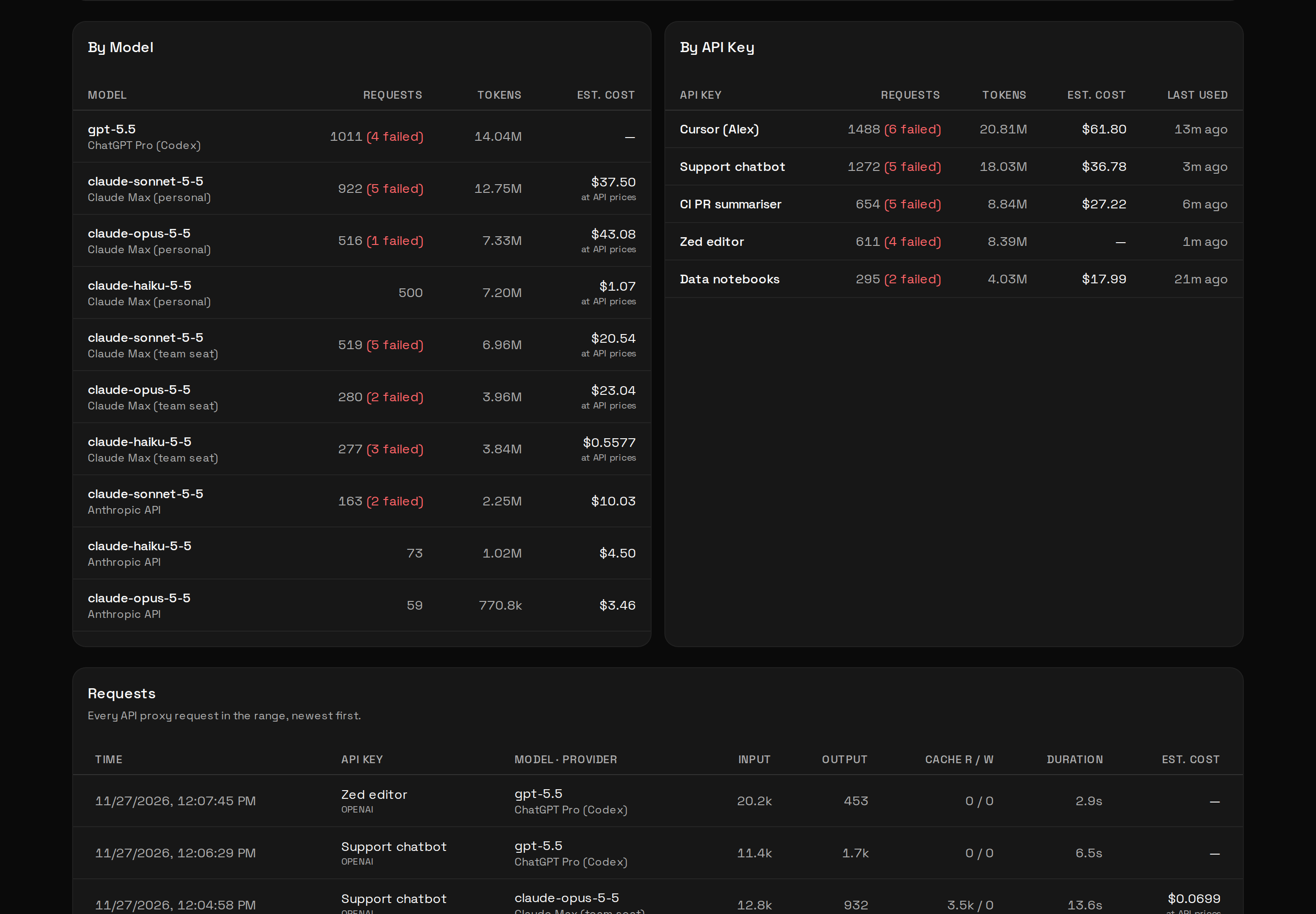
Every request is recorded. Analytics → API Proxy shows:
- requests, tokens, failures and average latency for the range you pick
- tokens per hour over the last day, per day, and by hour of the day
- usage by model and by API key, so you can see which service is spending what
- every request, newest first, with input, output and cache tokens and duration
- estimated cost: what you were actually billed (API keys), and what the subscription traffic would have cost at API prices
Kill switch
Disable temporarily (on the analytics tab and in Settings → API) pauses the proxy for an hour, a day or until you turn it back on. While it's paused, every authenticated request gets a 503 with Retry-After, and a timed pause ends on its own.
Check your provider's terms before sharing a personal subscription with other people or services through the proxy.